Instagram Reels are a popular way to share creative videos and reach new people. Every day, creators upload thousands of videos, so making something different can help your content get noticed. This is one reason why AI video editing is becoming popular in 2026.
With the help of artificial intelligence, you can turn ordinary photos into moving videos, create cinematic scenes, add interesting effects, and improve the quality of your content. You do not always need professional editing skills to get started.
In this guide, you will learn how AI video editing works, how to create a trending AI Reel, how to write better prompts, and what you can do to make your videos more attractive.
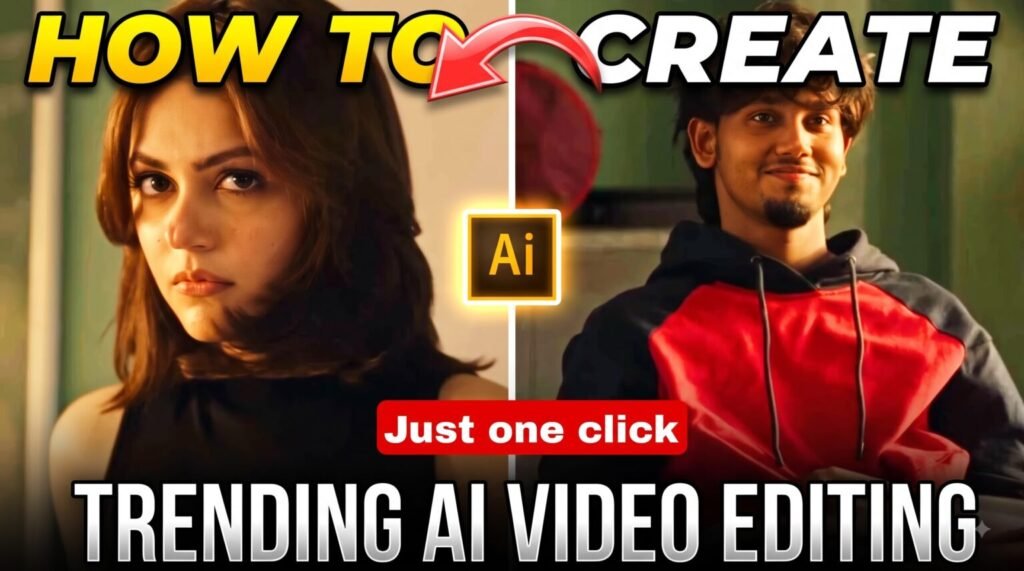
Trending AI Video Prompt
“`htmlReference Video
Watch the reference video to understand the style you want to create. Pay attention to the movement, visual effects, camera direction, and overall presentation.
You can use the reference as inspiration and create your own version with a different scene, background, or concept.
What Is AI Video Editing for Instagram?
AI video editing is a way of using artificial intelligence to create or improve videos with less manual work.
In traditional editing, you may need to cut clips, adjust colors, add music, create transitions, and edit every part yourself. AI-powered tools can help with many of these tasks and make the process easier.
For example, you can use AI to:
- Turn a photo into a short animated video.
- Create a new background for your footage.
- Add cinematic camera movements.
- Generate subtitles for spoken videos.
- Remove unwanted objects from a scene.
- Improve voice quality and reduce background noise.
- Create visual effects and realistic animations.
- Generate video clips from written prompts.
- Make simple footage look more cinematic.
- Add extra scenes to an existing video.
These features are useful for beginners, Instagram creators, and anyone who wants to experiment with new video styles without spending hours editing.
Why Is AI Video Editing Trending in 2026?
One major reason is that AI makes video creation more accessible. People who have creative ideas but limited editing experience can now experiment with different visual styles.
Earlier, making a cinematic video could involve several editing applications and many hours of work. Today, some AI tools can generate a video from a photograph or a written description in just a few steps.
Creators are also experimenting with unusual scenes, animated portraits, dramatic transformations, fantasy backgrounds, and creative vehicle effects. These styles can make viewers curious about how the video was created.
For example, you could start with an ordinary photograph and use an AI video generator to add natural movement, moving clouds, cinematic lighting, or a slow camera zoom.
However, using AI does not guarantee that your Reel will become viral. Your concept, opening scene, editing quality, and ability to hold viewers’ attention are still important.
How to Create a Trending AI Reel Step by Step
Follow these steps to make your first AI-generated Instagram video.
Step 1: Choose an Interesting Idea
Before opening an AI tool, decide what kind of video you want to create.
A clear idea makes the rest of the process easier. Instead of adding random effects, think about what the viewer should see and why it might be interesting.
Here are some ideas you can try:
- AI photo animation
- Cinematic portrait videos
- Before-and-after transformations
- AI fashion videos
- Fantasy and magical scenes
- Creative car animations
- Futuristic city videos
- AI travel scenes
- Character transformations
- Dramatic action sequences
Choose a concept that suits your audience. If you create Instagram content regularly, you can also experiment with different styles to discover what your followers enjoy.
Step 2: Select a Good Reference Photo
If your chosen AI tool supports image-to-video generation, prepare a clear photograph before starting.
The quality of your reference image can affect the final result. A blurry image or a poorly visible subject may produce unwanted details.
For better results, try to use a photo with:
- Clear lighting and visible facial features.
- Good image resolution.
- A suitable camera angle.
- A background that fits your concept.
- Minimal obstruction around the main subject.
- Enough space around the subject for movement.
If you want the person to look the same throughout the video, explain this requirement clearly in your prompt. Even then, AI tools may change some facial or clothing details, so always review the finished clip.
Step 3: Write a Clear AI Video Prompt
A prompt is the written instruction you give an AI tool to explain the video you want.
A very short instruction such as “Animate this photo” may not describe your idea well enough. It is usually more helpful to explain the subject, movements, camera work, lighting, and background.
For example, you can begin with this prompt:
Basic AI video prompt:
Create a short, realistic vertical video using the supplied reference image. Keep the person’s facial features, hairstyle, clothing, and overall appearance as consistent as possible. Add natural movement and realistic expressions. Use smooth cinematic camera motion, balanced lighting, and subtle background movement. Maintain visual consistency throughout the clip and avoid unnecessary changes to the subject or surroundings.
You can change these instructions to match your preferred trend. For example, you could add a slow-motion effect, a dramatic background, or a specific movement.
Step 4: Use This AI Video Prompt for Instagram Reels
If you are looking for a starting point, try the following prompt for an image-to-video project.
Copy and customize the prompt:
Create a realistic, cinematic vertical video from the supplied reference image. Keep the main subject’s facial features, hairstyle, clothing, body proportions, and overall appearance as consistent as possible from beginning to end.
Add natural body movement while maintaining the original composition. Use smooth camera movement, realistic lighting, natural shadows, detailed surroundings, and subtle environmental animation.
Make the subject move naturally and keep the scene visually consistent. Avoid distorted hands, extra fingers, sudden clothing changes, unnatural facial expressions, and unwanted background alterations.
Give the final video a polished, professional look suitable for Instagram Reels. Make the opening visually interesting and keep the main action easy to understand.
You can add a separate description of your desired scene to make the result more personal. Remember that prompts guide the AI; they cannot guarantee a perfect result.
Step 5: Generate Your Video With an AI Tool
Once your reference image and prompt are ready, open an AI video-generation tool that supports your chosen workflow.
Depending on the platform, you may find features such as:
- Image-to-video generation
- Text-to-video generation
- AI-powered video effects
- Background editing
- Character animation
- Object replacement
- Scene generation
Upload your photo if required, enter your prompt, select the available video settings, and start generating.
Your first attempt might not look exactly as expected. The subject’s face may change slightly, the hands might appear unnatural, or the background may move unexpectedly.
Watch the complete result before using it. If something looks wrong, make the prompt more specific and try generating another version. You can also simplify the action if the AI struggles with too many instructions.
Step 6: Choose the Right Video Size
Instagram Reels are designed for vertical viewing, so a 9:16 aspect ratio is a suitable choice for full-screen videos.
Before exporting your video, check the framing carefully.
Make sure the main subject is visible, the important action stays inside the frame, and any text is easy to read. Avoid placing essential details too close to the edges, where interface elements may cover them.
A good video can lose its impact if the main action is cropped or difficult to see on a mobile screen.
Step 7: Add Music, Captions, and Final Effects
After generating the video, you can use a video editor to polish the final result.
Depending on your concept, you might add:
- Background music
- Short captions
- Sound effects
- Smooth transitions
- Color adjustments
- On-screen text
- Voice-over
- Simple zoom effects
Choose music that matches the mood of your video. If the scene is emotional, use suitable emotional audio. For an action-style video, stronger sound effects may work better.
Avoid adding too many effects at once. The goal is to improve the video, not make every second look crowded.
Also, make sure you have the necessary rights to use any music or other third-party material you add.
Step 8: Make the First Few Seconds Interesting
The opening of your Reel gives viewers a reason to keep watching.
If the video takes too long to reach the main scene, some viewers may scroll past it. Try showing the most interesting part early.
You can begin with a surprising visual, a quick transformation, an interesting question, or a short line explaining the result.
For example:
“This ordinary photo became a cinematic AI video.”
Another option is to show the original photograph briefly and then reveal the animated result.
Keep the opening relevant to the actual video. A clear and interesting start is more useful than a misleading hook.
Important AI Video Editing Features to Try in 2026
You do not need every feature available in an AI editing application. Start with the tools that match your content.
1. Image-to-Video Generation
This feature turns a still photograph into a moving clip. It is useful for animated portraits, cinematic scenes, and creative photo transformations.
2. Text-to-Video Generation
With this feature, you describe a scene in words and the AI generates a video based on your instructions. It can be useful when you do not have suitable footage.
3. Automatic Captions
AI captioning can convert spoken words into subtitles. This helps viewers follow the video, especially when they are watching without sound. Review the captions for spelling and timing errors.
4. Background Removal
Background-removal tools can separate the main subject from the surroundings. You can then place the subject in a different setting or create a more creative composition.
5. Object Editing
Some AI tools allow you to modify selected objects within a scene. Depending on the tool, you may be able to remove an unwanted item or change part of the environment.
6. Audio Enhancement
Audio tools can reduce certain types of background noise and improve voice clarity. The results depend on the original recording and the software being used.
7. Creative AI Effects
Effects can help you create transformations, animated surroundings, dramatic lighting, and unusual visual scenes. Use effects that support the main idea instead of distracting viewers.
8. Cinematic Camera Movement
Some AI generators can simulate camera movements such as:
- Slow zoom-in
- Zoom-out
- Forward camera movement
- Sideways tracking
- Smooth camera rotation
- Gentle cinematic push-in
These movements can make a still photograph feel more dynamic. However, overly complicated movements may cause visual distortions, so simple instructions are often a useful starting point.
Can AI-Generated Reels Go Viral?
Yes, AI-generated videos can attract a large audience, but there is no guaranteed method for making a Reel viral.
The result depends on several factors, including the quality of the idea, the opening, the storytelling, the audience, and how viewers respond to the content.
To improve your chances of creating an engaging Reel, focus on these areas.
Originality: Use popular trends as inspiration, but add your own idea or visual style.
A strong opening: Give viewers a clear reason to stop scrolling.
Simple storytelling: Make the scene easy to understand without requiring a long explanation.
Good visual quality: Review the generated footage and correct noticeable errors whenever possible.
Suitable audio: Choose music and sound effects that match the video.
Consistency: Publish content regularly and use your results to understand which ideas connect with your audience.
Instead of judging a video only by its views, look at available performance metrics such as watch time, shares, saves, and audience retention.
Does AI Video Editing Reduce Instagram Reach?
Using AI does not automatically mean that a Reel will receive low reach. However, the performance of any post can vary, and no particular editing method guarantees strong results.
A video that looks attractive may still receive limited engagement if the concept does not interest its intended audience. Similarly, a simple video can perform well when it is useful, entertaining, or relatable.
Rather than copying the same viral format repeatedly, experiment with your own footage and creative ideas.
For example, you could record a short clip yourself, use AI to change the background, add a cinematic effect, and finish the video with your own editing. This approach lets you combine AI features with original content.
AI Editing vs Traditional Video Editing
Both editing methods have advantages. The right choice depends on the type of video you want to make.
| Feature | AI Editing | Traditional Editing |
|---|---|---|
| Editing speed | Can automate many tasks | Often requires more manual work |
| Learning process | Some tools are beginner-friendly | May require more practice |
| Automation | Available for supported tasks | Usually more hands-on |
| Creative control | Depends on the tool | Often offers detailed control |
| Video generation | Supported by some AI tools | Usually relies on existing footage |
| Repetitive tasks | Can reduce manual work | May take additional time |
| Precision | Results can vary | Fine adjustments are often easier |
You do not have to choose only one method. Many creators can use AI to generate footage or handle repetitive tasks and then use a traditional editor to adjust timing, audio, colors, and captions.
This combination can provide a useful balance between speed and creative control.
Common Mistakes to Avoid When Creating AI Reels
1. Copying Every Popular Trend
Following trends can give you ideas, but recreating another creator’s work exactly may make your content feel repetitive. Add a different scene, story, or editing style.
2. Adding Too Many Effects
Excessive transitions, animations, and visual effects can make a video difficult to watch. Choose effects that support the concept.
3. Ignoring AI Mistakes
Always review the final clip. Look for distorted hands, changing facial features, unusual objects, incorrect text, and inconsistent clothing.
4. Making the Introduction Too Long
Show the main idea early. Avoid unnecessary opening scenes that delay the most interesting part.
5. Depending Entirely on AI
AI can help with production, but your concept and creative decisions still matter. Think about what makes your video different from similar content.
6. Uploading Without a Final Edit
An AI-generated clip may need trimming, audio adjustments, captions, or improved framing. Spend a little time checking the finished video before publishing it.
Practical Tips for Better AI-Generated Reels
Here are some simple habits that can help you improve your results:
- Start with one clear idea.
- Use a sharp and well-lit reference image.
- Write specific instructions instead of vague prompts.
- Describe the movement you want to see.
- Explain which visual details should remain consistent.
- Try different prompt versions when needed.
- Check the complete video for AI-generated errors.
- Use a vertical 9:16 layout when appropriate.
- Make the opening easy to understand.
- Add captions when they improve clarity.
- Choose music that suits the mood.
- Avoid unnecessary transitions and effects.
- Add your own creative touch.
- Test different concepts and opening scenes.
- Review your Instagram analytics to learn what your audience prefers.
You do not need to master everything at once. Begin with simple photo animation and gradually experiment with more advanced scenes.
Final Thoughts
AI video editing is giving Instagram creators new ways to turn simple ideas into creative videos. With the right tools, you can animate photographs, generate cinematic scenes, experiment with visual effects, and prepare engaging Reels without having advanced editing experience.
However, the tool alone does not make the content special. A clear idea, a suitable prompt, good visual quality, and thoughtful final editing all contribute to the result.
Start with a simple concept, generate your footage, check it carefully, and add the finishing touches before publishing. Over time, experiment with different styles and learn from your audience’s response.
The best approach is to use AI to support your creativity rather than relying entirely on whatever trend is popular at the moment.
Frequently Asked Questions
1. What is AI video editing on Instagram?
AI video editing uses artificial intelligence to generate, modify, or improve videos for Instagram Reels and other video platforms. It can include photo animation, automatic captions, background editing, and visual effects.
2. Can beginners create AI Reels?
Yes. Beginners can start with simple AI features, such as image-to-video generation or automatic captions. Choose a tool that suits your needs and follow its available instructions.
3. Which aspect ratio is suitable for Instagram Reels?
A vertical 9:16 aspect ratio is generally suitable for full-screen Reels. Keep the subject and important text within the visible area.
4. Can an AI-generated video become viral?
It can attract significant attention, but going viral is never guaranteed. Originality, viewer interest, storytelling, and engagement can all affect performance.
5. Do I need professional editing skills to use AI video tools?
No. Many tools offer beginner-friendly features, although learning how to write prompts and review generated footage can help you get better results.
6. Should I use AI for every Instagram Reel?
Not necessarily. You can combine AI-generated scenes with original recordings and traditional editing. Choose the method that best fits the message and style of each video.
7. Why does my AI-generated video look different from the reference photo?
AI tools can interpret facial features, movement, lighting, and backgrounds differently during generation. Use a clear reference image, simplify complicated movements, and provide specific instructions about the details you want to preserve.
Table of Contents

Decoding viral trends in tech, videos, and web culture—transforming data into growth strategies. 🚀 Helping creators ride the next digital wave with actionable insights.